Summary
Power users and agencies managing campaigns across platforms had the same workaround everywhere: download a template, edit in Excel, upload it back, wait, fix whatever broke, repeat. Edit in Bulk replaced that loop with an Excel style table built directly into Ad Manager, where changes are validated as you type and nothing requires a round trip.
Challenge
Bulk editing meant downloading templates, editing offline, and re-uploading with no immediate feedback.
Approach
An inline, spreadsheet style table with real time validation and a review step before anything is applied.
Result
Bulk editing that finally matched the speed and familiarity of the workflow people already had in Excel.
The Challenge
The interface needed to feel like Excel, because that's the mental model power users already had, and anything slower than their existing workaround would never get adopted. What looked like a major engineering lift at first turned out to be solvable once we found the right building block.
What I found
Discovery sessions with power users and agencies showed:
💡
Power users managing campaigns across multiple platforms were importing settings from Excel and then re-entering the same data manually in Ad Manager, line by line
💡
Agencies received campaign briefs and performance data in spreadsheet format
💡
Bulk editing needed to support the same operations users performed in Excel such as update multiple values across multiple lines simultaneously, with immediate visual feedback
💡
Error handling was a must because bulk changes affect many lines at once, so users needed to understand exactly what changed and catch mistakes before saving
Main problems
Bulk update
No way to update multiple lines at once
Not adapted for perfoamance campaign
The existing single line editing didn't match how agencies actually worked with performance clients running campaigns with hundreds of lines
Instant feedback
Mistakes in bulk changes were hard to catch before they were applied
My Role
I was the sole designer on this, and the part I'm proudest of is how it came together. My starting assumption, like most platforms in this space, was that we'd build the standard pattern: download a template, fill it in offline, upload it back, get an error report, then have it parsed into the platform. I went into a brainstorming session with engineering expecting to scope exactly that. Instead, a developer proposed something better, an inline, spreadsheet style table built directly into the product, and pointed to a component that already supported most of the behavior we needed. That one conversation changed the scope of what felt possible.
How it came together
I started by mapping the exact operations people performed in Excel, what they edited, in what order, how they scanned for mistakes. That mapping became the spec. Once the engineering team identified a component that already supported inline editing, multi row selection and keyboard navigation, my work shifted to adapting it to Ad Manager: deciding which fields were bulk editable, designing the validation states, and building a clear review step before changes go live.
What shipped
- An Excel style table with inline editing, multi row selection and keyboard navigation
- Drag to fill, so a value can be applied across multiple rows the same way it would in Excel
- An in cell settings panel for things like creative assignment and audience targeting
- Validation that fires while editing, not after
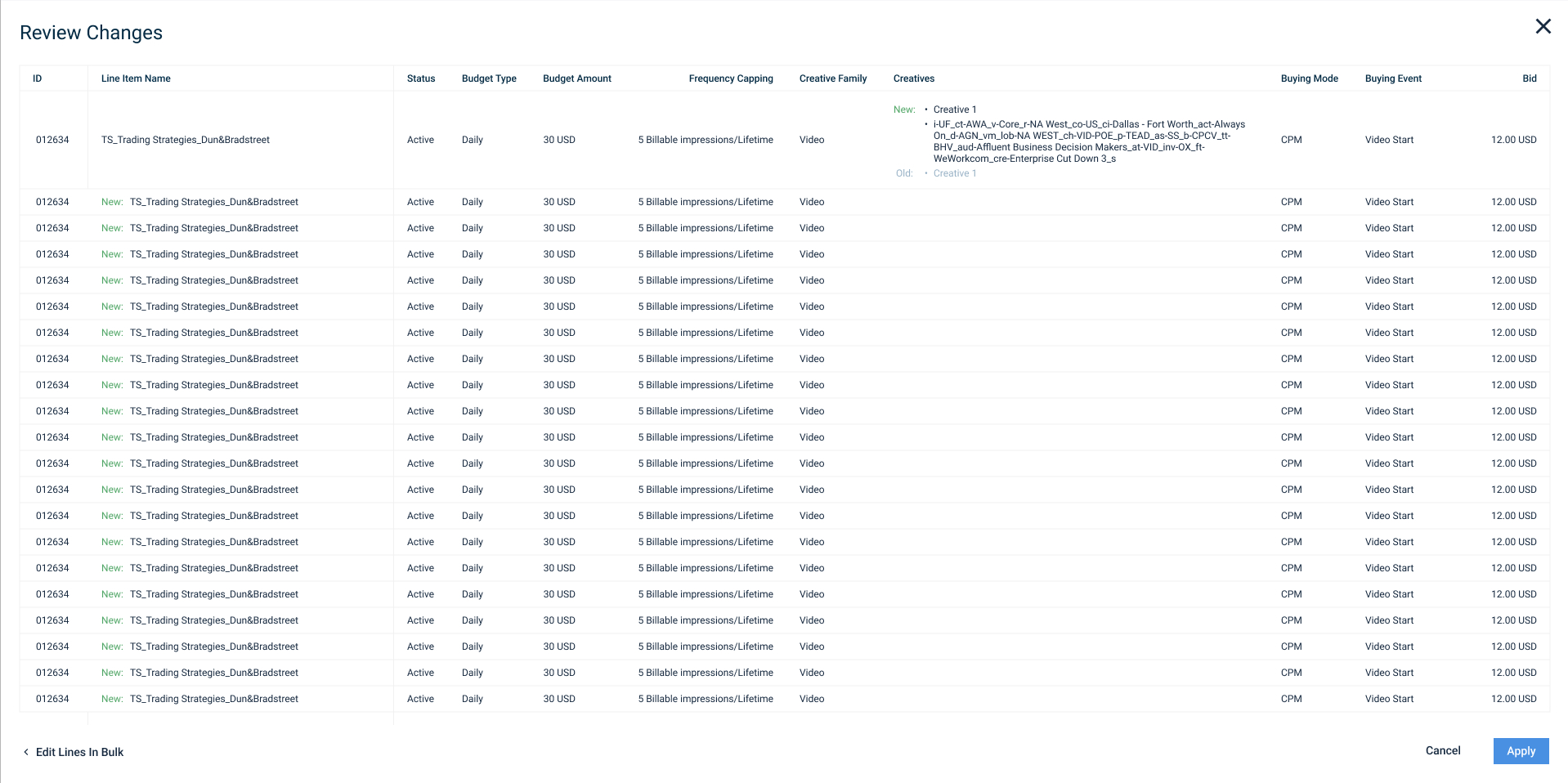
- A review screen before changes apply, showing exactly what changed and what's new
High-fidelity UI
One line
Instant feedback - name deleted
Multiple lines
Assign creatives
Cell settings panel
Cell settings panel
Review screen
Impact
This removed line by line editing for high volume campaigns and gave agencies a direct bridge between their existing Excel workflows and the platform. It was later extended to creatives too, using the same interaction model.
Looking back
The best solution here didn't come from the design team alone. I came into a brainstorming session with a set of constraints I assumed were fixed, and a developer changed that in one conversation. Worth remembering: hold your technical assumptions loosely.